 Cadence
What Cadence does.
A short tour of everything in the app, with the real thing shown on sample data.
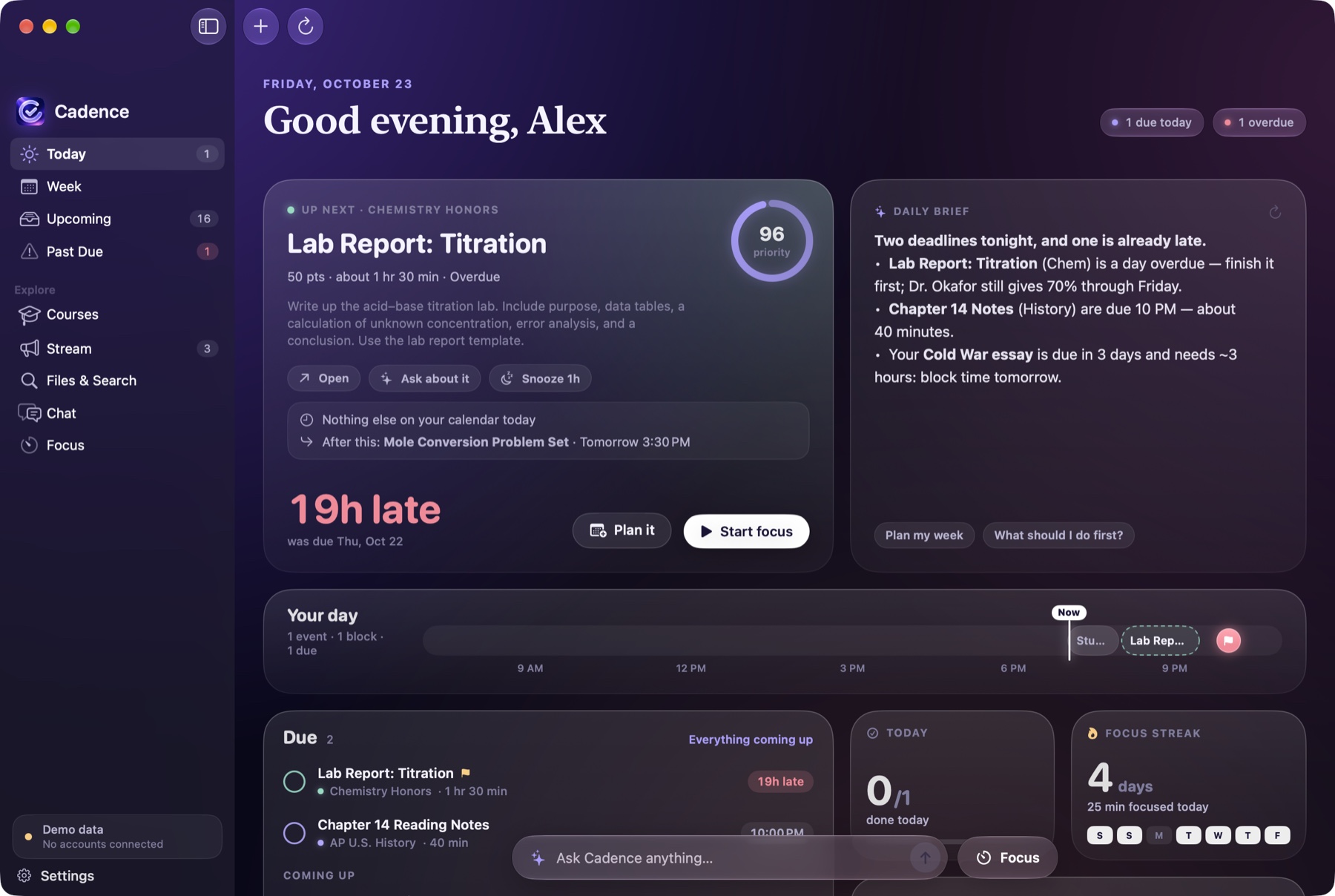
Start the day knowing what matters.
Every morning Cadence writes a short brief from your deadlines, grades and calendar: what’s due, what’s at risk, and what to do first and why. Your next task sits at the top with the time you have before your next commitment.
- Ranked by due date, point value and estimated effort
- Warnings when work is overdue or deadlines stack up
- A timeline of your day, with your events and study blocks
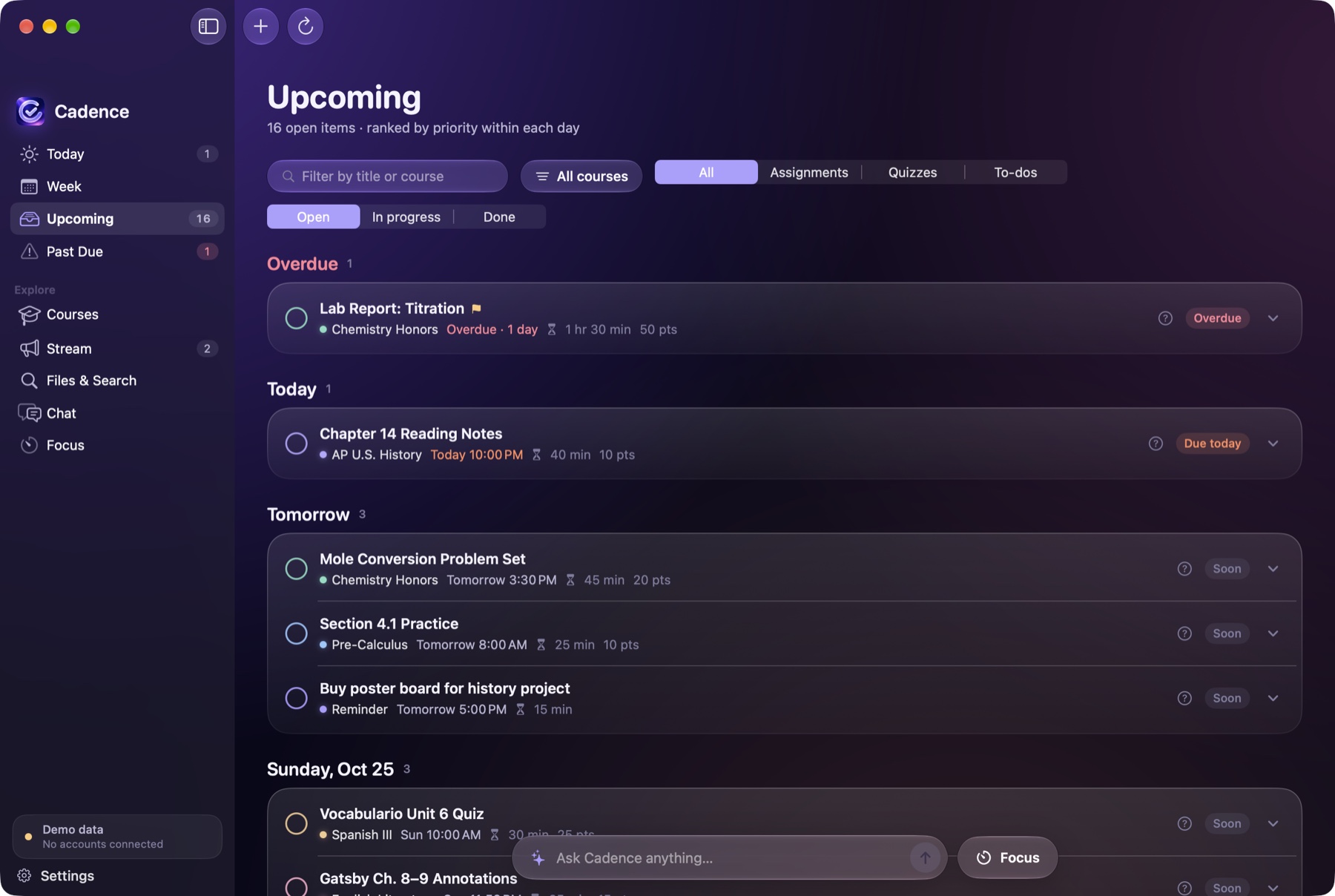
Every deadline, in one list.
See everything that’s due across all your classes. Filter by course, type or status, and mark work as to do, in progress, done or skipped. Your statuses live in Cadence and never change anything in Classroom.
- Pin what matters and snooze what doesn’t
- Correct any time estimate and Cadence remembers
- Open an assignment in Classroom in one click
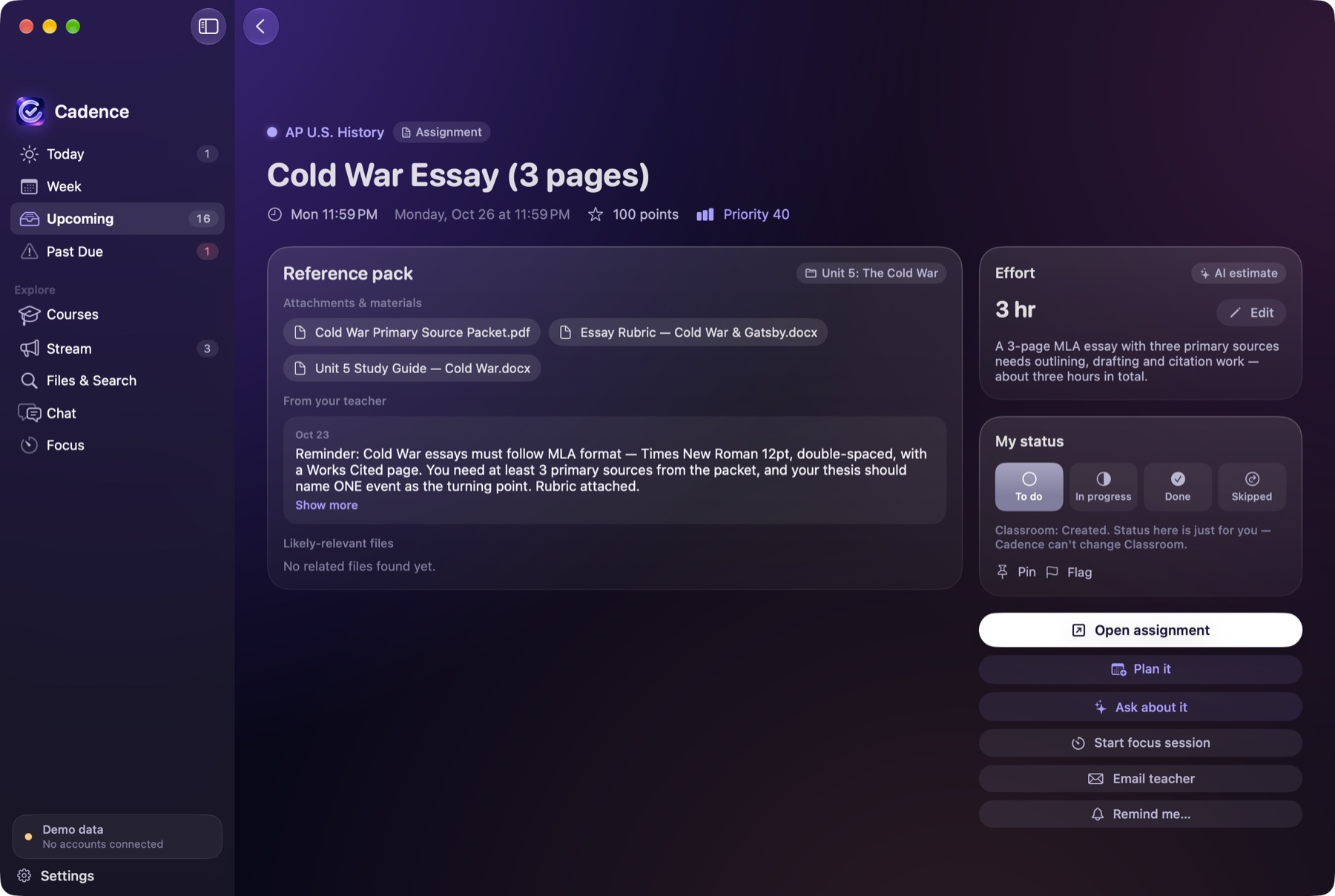
Know what it’s really asking.
Open an assignment for a short summary of what it requires: the format, the length, the rubric points and the first step. Cadence also estimates how long it will take.
- Plain-English summaries of instructions and related announcements
- Estimated time for every assignment
- Files and links attached by your teacher, in one place
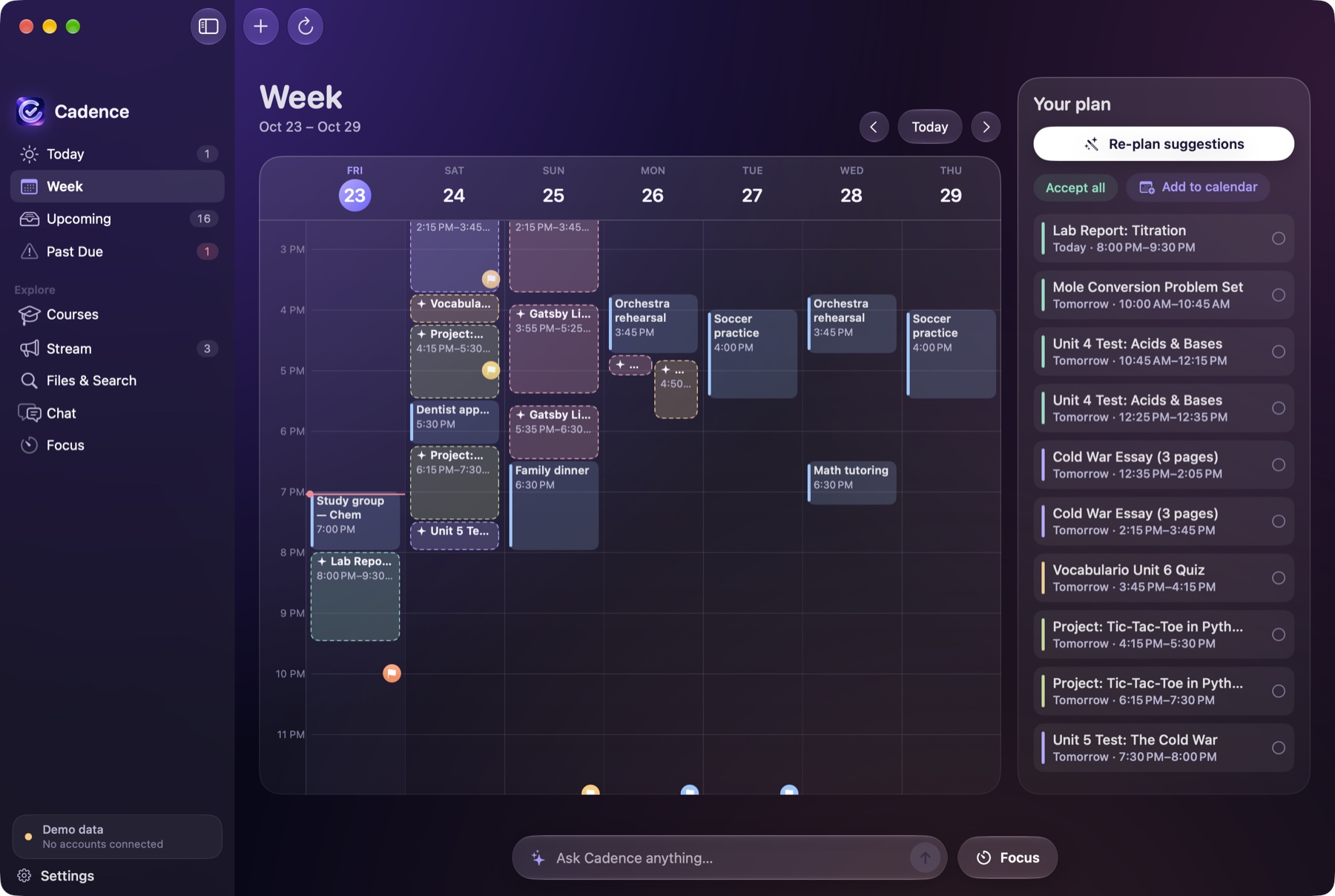
A plan that works around your life.
Cadence finds the free hours between class, practice and everything else on your calendar, then places study blocks before each deadline, with short breaks between them.
- Uses your real free time, within the hours you choose
- Finishes work before it’s due
- Sends approved blocks to Google Calendar or Apple Calendar
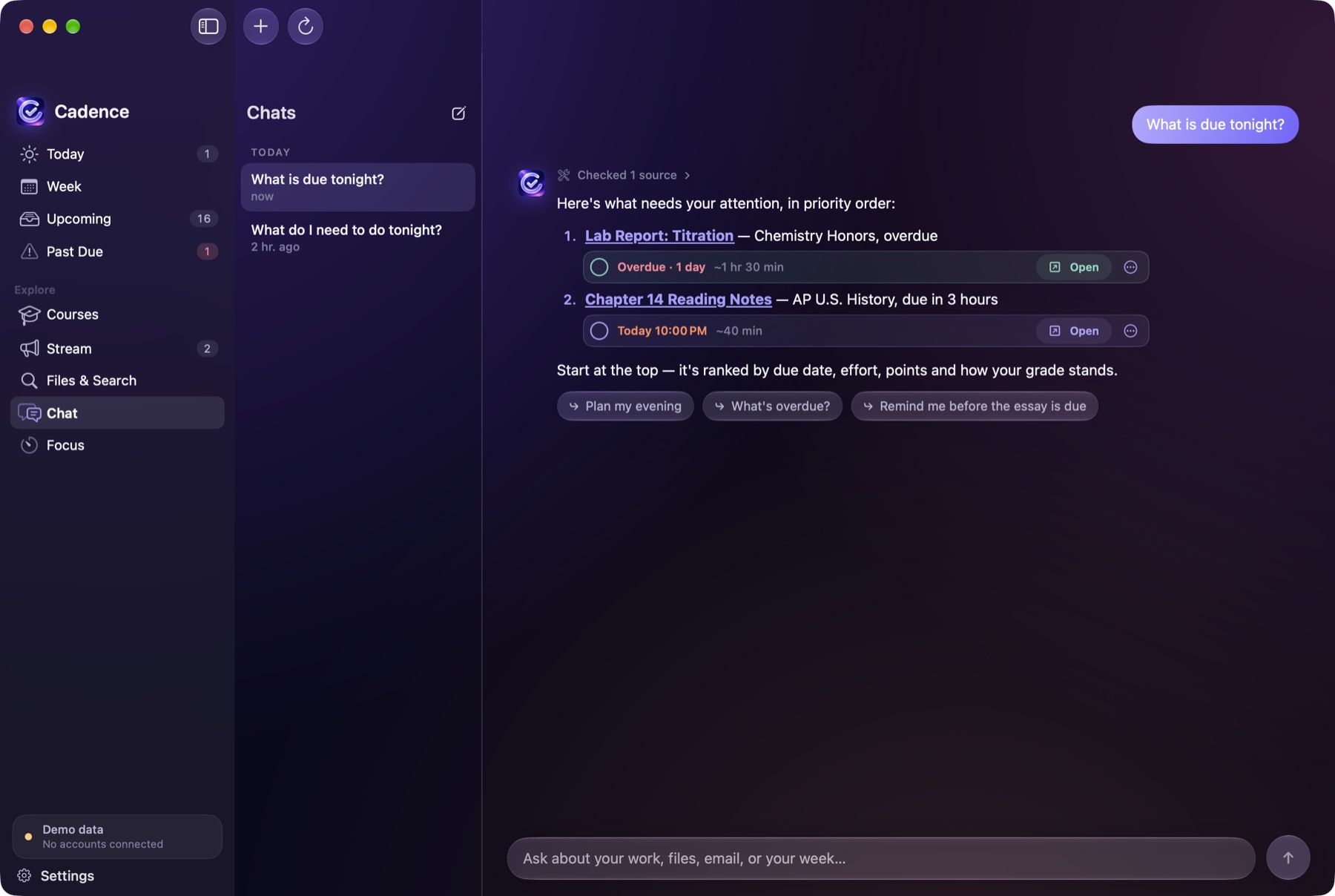
Ask a question, get an answer you can check.
Ask Cadence about your assignments, grades or schedule in plain English. Answers point to the assignment or announcement they came from, and anything it suggests, like a calendar event or a reminder, appears as a card you approve.
- Focused on schoolwork: it declines unrelated requests
- Never sends email or changes your coursework
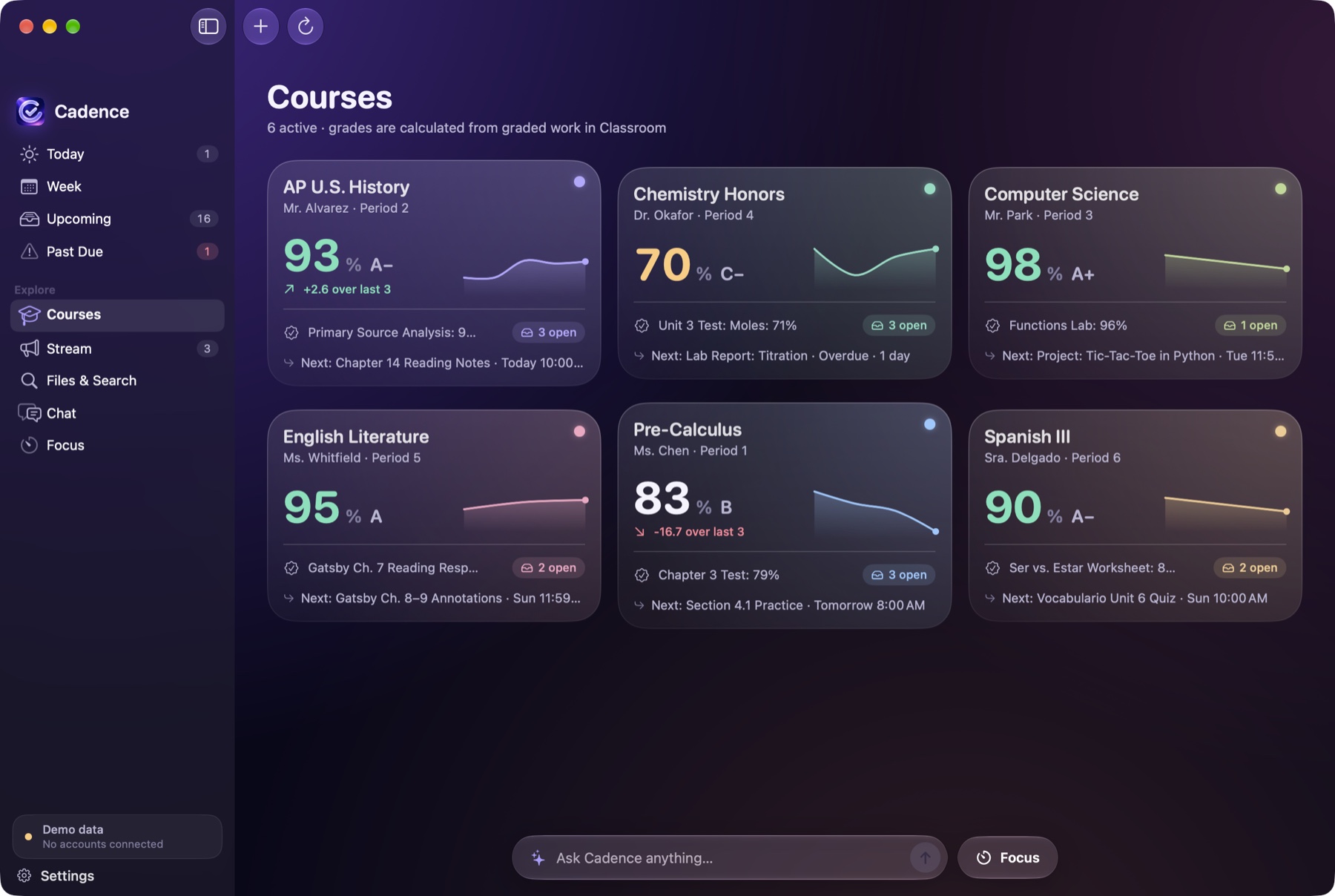
Your classes at a glance.
Each course has its own page with its assignments, announcements and materials, and your current grade.
- Grades calculated from your Classroom scores
- Announcements from every teacher in one stream
The small things that make it feel native.
- Menu bar
- Cadence can live in your menu bar, syncing and sending reminders without a window or a Dock icon.
- Quick ask
- A global keyboard shortcut opens a small box to ask a question from any app.
- Reminders
- Due-soon alerts, a morning brief and a weekly summary, with quiet hours for your evenings.
- Focus timer
- Start a focus session from any assignment and keep a streak.
- Desktop widget
- See what’s next without opening the app.
- Apple Calendar and Reminders
- Works with Apple’s own apps too, including schools that block Google sign-in.